


What PC Components Do You Need to Build a Gaming PC? A Complete Dubai Buyer's Guide
Building your own gaming PC is one of the smartest upgrades a gamer can make. You choose every part, you pay only for the performance you actually need, and you end up with a machine that can be upgraded for years. But one question stops many first-time builders: which PC components do you really need?
Whether you are gaming in Dubai, Abu Dhabi or anywhere else in the UAE, the answer starts with eight main component categories, although some parts, such as the CPU cooler and case fans, may already be included with your chosen hardware. This guide explains each gaming PC component in plain language, shows how the parts work together, and helps you avoid expensive compatibility mistakes. By the end, you will have a clear checklist you can take to a trusted supplier of PC components in Dubai, such as PC Garage, and start building with confidence.
The Essential Gaming PC Components
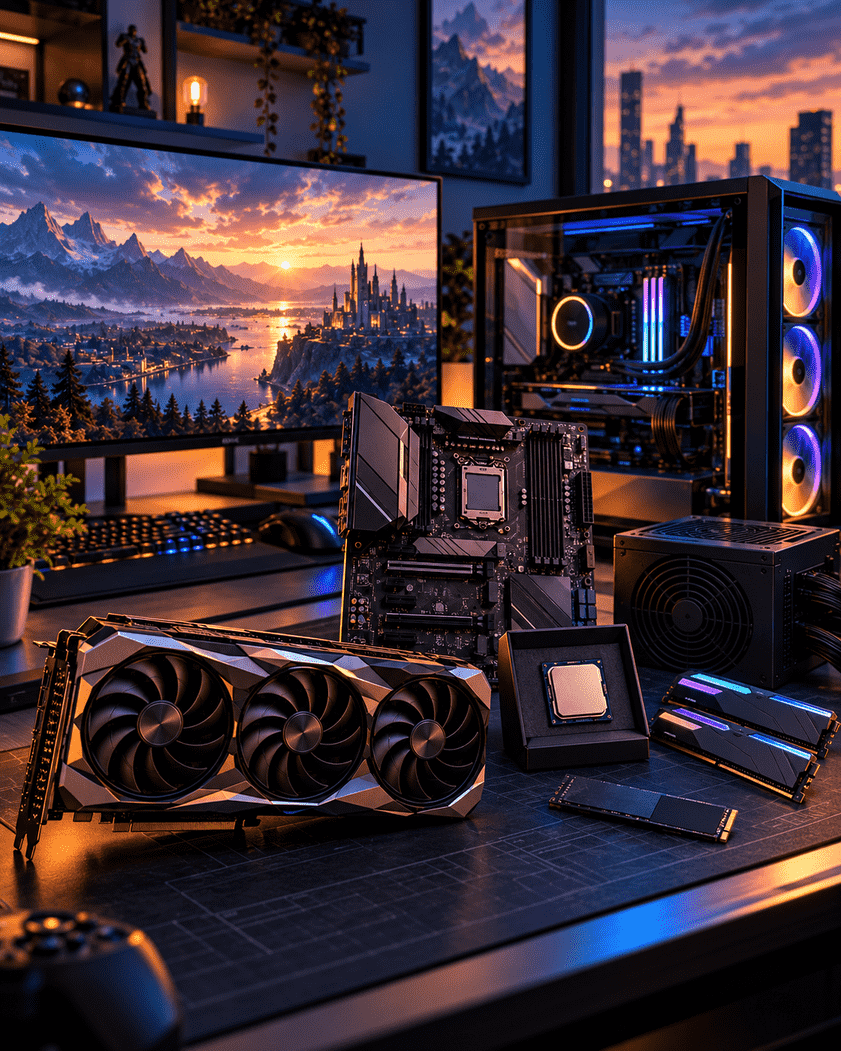
To build a gaming PC, you need a processor (CPU), a graphics card (GPU), a motherboard, memory (RAM), fast storage (SSD), a power supply (PSU), a PC case and a CPU cooler. You also need an operating system, a monitor and peripherals such as a keyboard and mouse.
| Component | What It Does | Gaming Priority |
| CPU | Runs game logic, physics and background tasks | High |
| GPU | Renders graphics and sets your frame rate | Highest |
| Motherboard | Connects and powers every part | Medium |
| RAM | Holds active game and system data | High |
| SSD Storage | Loads games, levels and Windows quickly | High |
| Power Supply | Delivers stable power to all parts | Critical |
| PC Case | Houses parts and controls airflow | Medium |
| CPU Cooler | Keeps the processor at safe temperatures | High |
1. Processor (CPU): The Brain of Your Gaming PC
The CPU handles game logic, artificial intelligence, physics and everything running in the background while you play. Intel Core and AMD Ryzen are the two main choices. For most gaming builds, a modern six-core processor is a strong starting point. Consider eight cores or more if you also stream, create content, or run demanding applications. Actual gaming performance depends on the CPU generation, architecture, clock speeds and the games you play.
Always check the socket type before buying. A CPU will only fit a motherboard with the matching socket, so choose these two parts together rather than separately.
2. Graphics Card (GPU): The Most Important Gaming Component
If you can only spend more on one part, make it the graphics card. The GPU creates every frame you see, so it has the biggest influence on resolution, visual settings and smoothness. NVIDIA GeForce RTX and AMD Radeon RX cards cover everything from 1080p esports to 4K gaming with ray tracing.
Match your GPU to your monitor. A 1080p, 1440p or 4K display each needs a different level of graphics power, and a high refresh rate screen only helps if your card can push enough frames. Check the card length and power connectors against your case and PSU before you order.
3. Motherboard: The Foundation That Connects Everything
The motherboard decides which CPU, memory type and storage you can use, and how easily you can upgrade later. Look at four things: the CPU socket, the chipset, the memory standard (DDR4 or DDR5) and the number of M.2 slots for NVMe drives.
Board sizes include ATX, micro-ATX and mini-ITX. ATX offers the most ports and expansion options, while smaller boards suit compact builds. Features such as built-in Wi-Fi, USB-C and a good power delivery design are worth paying for if you plan to keep the system for several years.
4. Memory (RAM): How Much Do Gamers Need?
RAM stores the data your game is actively using. For modern titles, 16GB is the practical minimum and 32GB is the comfortable choice for gaming, streaming and heavy multitasking. For most mainstream gaming PCs, a matched two-module kit, such as 2 × 16GB, is a good choice. Install the modules in the motherboard's recommended slots to enable the intended memory configuration. Performance gains vary depending on the platform and workload.
Make sure the memory type matches your motherboard. Newer platforms such as AMD AM5 use DDR5 only, while some Intel boards support either DDR4 or DDR5. Memory speed and low latency also help, especially on AMD Ryzen systems.
5. Storage: NVMe SSD vs SATA SSD vs HDD
Storage controls how quickly Windows starts and how fast your games load. An NVMe SSD is an excellent first choice for a new gaming PC because it offers high transfer speeds and a simple M.2 installation. A SATA SSD is still a good option for additional game storage, particularly when it is more affordable.
• NVMe SSD: Best for your operating system and favourite games.
• SATA SSD: A budget-friendly option for extra game libraries.
• HDD: Useful only for cheap bulk storage such as videos and backups.
6. Power Supply Unit (PSU): Never Cut Corners Here
The power supply feeds every component in your build, so a poor unit puts the entire system at risk. Choose a reputable power supply with the appropriate wattage, strong independent reviews, and suitable safety protections. An 80 PLUS rating indicates energy efficiency, but it should not be treated as a guarantee of overall PSU quality. Calculate your total power draw, mainly from the CPU and GPU, then add headroom of at least 20 percent for spikes and future upgrades.
Modular cables keep the inside of your case tidy and improve airflow. Confirm that the PSU has the right connectors for your graphics card before checkout.
7. PC Case: Airflow, Size and Style
A case is more than looks. It must fit your motherboard size, graphics card length and cooler height, and it needs good airflow to keep temperatures down. Mesh front panels and several fan mounts usually give the best cooling. Tempered glass, RGB lighting and cable management space are useful extras once the basics are covered.
8. CPU Cooler and Case Fans: Essential in the UAE Climate
Some processors include a basic cooler, but many do not, and gamers often upgrade for lower temperatures and quieter performance. An air cooler offers excellent value and reliability, while a liquid cooler (AIO) suits high-end processors and compact layouts.
Cooling deserves extra attention in the UAE. High room temperatures during summer reduce the cooling headroom your PC has, so plan for a case with strong airflow, quality fans and a cooler that exceeds your CPU's needs rather than just meeting them.
Other Parts You Need to Complete Your Gaming Setup
• Operating system: Windows 11 is the standard choice for PC gaming.
• Gaming monitor: A 144Hz monitor is a good option for smoother gameplay, particularly in competitive titles. Choose the resolution and refresh rate to match your GPU, the games you play and your budget.
• Peripherals: A responsive keyboard, mouse and headset improve comfort and accuracy.
• Surge protection: A surge protected power strip or UPS helps protect your investment.
How to Check Gaming PC Component Compatibility
Compatibility problems are the most common reason new builds go wrong. Before you buy, confirm these points:
• Socket: The CPU socket must match the motherboard socket.
• Memory type: The board must support your RAM type, DDR4 or DDR5.
• Size and power: The GPU must fit the case, and the PSU must supply enough power and connectors.
• Cooler fit: The cooler must fit the case height and support your CPU socket.
A free compatibility tool such as PCPartPicker can flag many potential conflicts, but it cannot guarantee that every component will work together without issues. Before purchasing, verify physical dimensions, power requirements, power connectors, memory support and CPU compatibility, including BIOS requirements where applicable. If you are unsure, ask a knowledgeable retailer to review your component list before checkout.
Where to Buy PC Components in Dubai
Buying from a specialist retailer protects you from fake products, missing warranties and wrong parts. When you shop for PC components in Dubai, look for genuine branded stock, clear UAE warranty terms, competitive pricing and real technical advice. PC Garage offers a wide range of gaming PC components, from processors and graphics cards to cooling and cases, along with expert support to help you match parts correctly.
Common Mistakes to Avoid When Choosing Gaming PC Parts
• Overspending on the CPU: A mid-range CPU with a strong GPU usually beats the reverse for gaming.
• Saving money on the PSU: Cheap units are a leading cause of crashes and hardware failure.
• Using single channel RAM: A single stick limits memory bandwidth and slows performance.
• Ignoring airflow: Heat reduces performance and shortens component life.
• Forgetting the monitor: A top tier GPU wastes its power on a 60Hz, 1080p screen.
Frequently Asked Questions
What are the main components needed to build a gaming PC?
You need a CPU, graphics card, motherboard, RAM, SSD storage, power supply, PC case and CPU cooler. After that, add an operating system, monitor, keyboard and mouse to complete your setup.
Which component matters most for gaming performance?
The graphics card has the biggest impact on frame rates and visual quality. A balanced build still needs a capable CPU, at least 16GB of RAM and a fast SSD to help maintain balanced system performance.
How much RAM do I need for a gaming PC?
Sixteen gigabytes is the minimum for modern games, and 32GB is the better choice if you stream, multitask or want to keep your PC relevant for longer.
How much does it cost to build a gaming PC in Dubai?
The cost depends mainly on the graphics card and the resolution you want to play at. Entry-level builds suit 1080p gaming, while 1440p and 4K systems need more powerful parts. Contact PC Garage for a current quote based on your budget.
Do I need a dedicated graphics card for gaming?
For most modern games, yes. Integrated graphics can handle light and older titles, but a dedicated GPU is needed for smooth play at high settings.
Is it cheaper to build a PC or buy a prebuilt gaming PC?
Building often gives better value and lets you choose quality parts, especially the PSU and cooling. Prebuilt systems save time, so the best option depends on your experience and budget.
Does the hot weather in the UAE affect a gaming PC?
High ambient temperatures can raise component temperatures, so airflow matters more here. Choose a well ventilated case, quality fans and a capable CPU cooler, and keep the PC away from direct sunlight.
Can a beginner build a gaming PC?
Yes. Most builds need only a screwdriver and careful planning. Check compatibility first, follow the manuals and watch a trusted build guide, and you can finish your first PC in an afternoon.
Conclusion: Build Your Gaming PC with the Right Components
A great gaming PC comes from choosing the right parts and making sure they work together. Start with a strong GPU, pair it with a balanced CPU, add at least 16GB of RAM and a fast NVMe SSD, then protect it all with a reliable power supply, a well ventilated case and effective cooling. Check compatibility at every step and plan for upgrades down the road.
Ready to start your build? Explore genuine gaming PC components at PC Garage, the trusted source for PC components in Dubai, and get expert advice on putting together the perfect gaming setup.